UI/UX · Design
7 UI/UX Mistakes That Quietly Kill Your Conversions
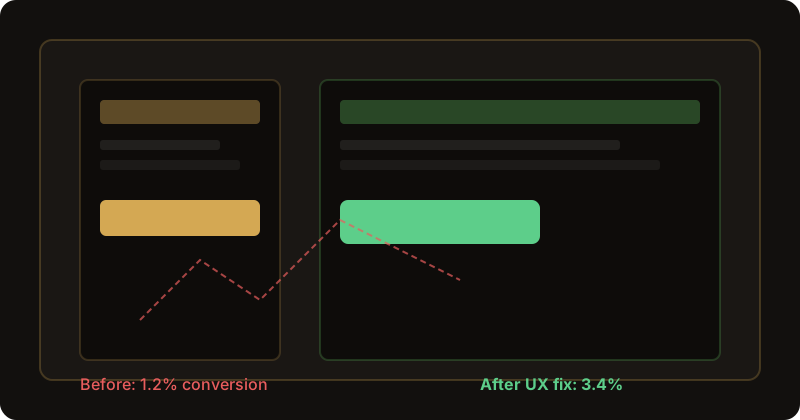
Your website looks fine. Maybe even good. Clean logo, nice colours, a hero image that took three rounds of feedback to approve. And yet — the contact form gets three submissions a month while your ads burn through budget. That gap is almost never "we need more traffic." It is usually UI/UX mistakes quietly killing conversions while everyone stares at the homepage banner.
We do UI/UX design and web development from Istanbul and London. Clients rarely say "our UX is broken." They say "people visit but don't enquire" or "mobile users bounce." Then we watch a real session recording and see someone scroll three screens hunting for a phone number that was hidden in the footer all along.
UX is not decoration
There is a version of web design that treats UX like wallpaper — something you add after the "real" design is done. Pick fonts, drop in stock photos, ship it. That approach used to work when competition was thin. In 2026, your visitors have seen a hundred sites this week. They pattern-match instantly: Can I trust this? Do I know what to do? Will this waste my time?
Conversion rate optimization (CRO) is not a separate discipline from UX. It is the outcome of clear flows, readable type, obvious actions, and respect for how people actually browse — especially on a phone, half-distracted, on a lunch break.
Mistake 1: Buried call-to-action
The single most expensive UI/UX mistake we audit: the primary action is invisible. Not missing — just buried. Below three paragraphs of mission statement. Same colour as body text. Labelled "Learn more" when the user wants to "Get a quote."
Rule we use internally: a new visitor should identify the main CTA within five seconds without scrolling on desktop, and within one thumb-swipe on mobile. If your hero ends with a carousel and the button lives under the fold, you are paying for clicks that never convert.
Mistake 2: Form friction
Every field you add is a small tax on completion. HubSpot's historical form data (and our own client tests) consistently show drop-off after the fourth field for cold traffic. Name, email, service, message — done. Asking for company size, budget range, referral source and preferred callback window on a first touch? That is a B2B sales form, not a lead capture form.
- Label fields clearly — placeholder text is not a label
- Show errors inline, not in a red banner at the top
- Use one column on mobile; two-column forms break thumbs
- Tell people what happens next: "We reply within one business day"
Mistake 3: Mobile as an afterthought
Most marketing sites we audit get 60%+ mobile sessions. Yet the desktop mockup gets approved in Figma, and mobile is "we'll stack the sections." Stacked is not designed. Hamburger menus that hide the only page that matters. Sticky headers eating 40% of the viewport. Pop-ups covering the submit button.
Run your site on a mid-range phone over throttled 4G. Try to complete your own contact flow. If you get annoyed, your customers already left.
Mistake 4: Zero trust signals
Visitors decide trust in seconds. No address, no real team photos, no client logos, no privacy link near the form — each absence whispers "maybe scam." You do not need fifty badges. You need enough proof for your price point. A £5k project needs human faces and a phone number. A £50k enterprise deal needs case studies and compliance notes.
Mistake 5: Cognitive overload
Seven services in the nav. Four pop-ups. Auto-playing video. A ticker of stock prices on a florist website (true story). Every extra moving part competes with the one action you want. Minimalism is not fashion — it is focus. One primary goal per page. Secondary links can live in the footer.
Mistake 6: Vague microcopy
"Submit." "Send." "Click here." These words tell the user nothing about value or risk. "Get my free quote" or "Book a 15-minute call" sets expectation. Button copy is UX. Treat it like a headline, not an afterthought.
Mistake 7: No post-click clarity
User clicks enquire. Page reloads. No thank-you message. No email confirmation. They wonder if it worked and submit again — or assume it failed and call a competitor. Success states matter. A simple inline message or redirect to a confirmation page lifts perceived reliability overnight.
A boutique shop that doubled enquiries
A home décor retailer in London came to us with decent Instagram traffic and a 1.2% contact rate. Beautiful photography. CTA was a small text link in the nav labelled "Enquiries." The actual form sat on a separate page with eleven fields.
We did not redesign the brand. We moved one clear "Shop the collection / Ask a stylist" button into the hero, cut the form to four fields, and added WhatsApp as a secondary action. Conversion went to 3.4% in six weeks.
Same products. Same ad spend. The lesson: UI/UX mistakes are often structural, not aesthetic. Fixing them is usually faster than buying more traffic.
Five-minute audit checklist
Open your site on your phone right now:
- Can you see a primary CTA without scrolling?
- Can you reach contact in two taps or fewer?
- Does the form fit on one screen without horizontal scroll?
- Is there at least one trust element near the form?
- After submit, is success obvious?
Score below four? You likely have fixable conversion leaks — not a traffic problem. And if you want a second pair of eyes, that is literally what our UX audits are for.
Want a honest UX audit? We will review your key flows, mobile experience and CTAs — no jargon deck, just a clear list of fixes.
Book a free discovery callFrequently asked questions
What is the biggest UI/UX mistake for conversions?
Hiding the primary action. If visitors cannot see what to do next within five seconds, most will leave without scrolling.
How long should a contact form be?
For lead gen, three to four fields is the sweet spot: name, email, service, message. Every extra field measurably drops completion rates.
Does good UI/UX help SEO?
Yes. Lower bounce rates, better engagement and Core Web Vitals all connect. Google rewards pages people actually use.
When is a UX redesign worth it?
When you have traffic but weak conversions, high mobile bounce, or complaints like "people cannot find the contact button." That is usually a flow problem, not a traffic problem.